Part X: Developing a Way to do Action Scenes Without Money | Example Scene
👁 24
https://blenderdumbass.org/articles : 👁 6
https://mastodon.social/ : 👁 1
https://blenderdumbass.org/ : 👁 1
https://blenderdumbass.org/blender_articles : 👁 4
![[avatar]](/pictures/favicon.png) by Blender Dumbass
by Blender Dumbass
Aka: J.Y. Amihud. A Jewish by blood, multifaceted artist with experience in film-making, visual effects, programming, game development, music and more. A philosopher at heart. An activist for freedom and privacy. Anti-Paternalist. A user of Libre Software. Speaking at least 3 human languages. The writer and director of the 2023 film "Moria's Race" and the lead developer of it's game sequel "Dani's Race".
I don't really know if all articles in this series are equal. So it could be part 4, or part 6 or part who knows what. But today I want to dump my thoughts about this video I did recently: ↩ Reply
↩ Reply
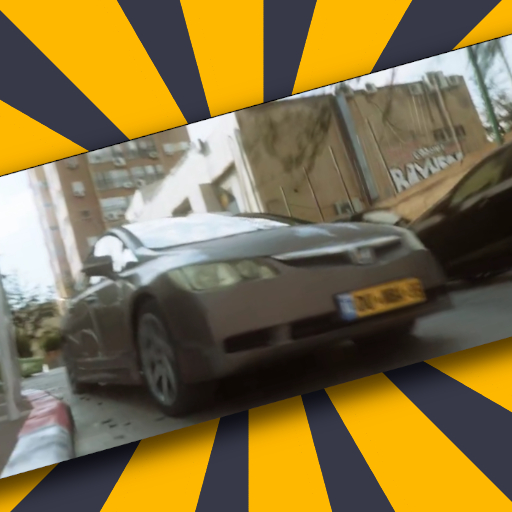
This is a part of a larger ( 17 minute long ) pitch video that for now will only be available to select few ( until the film will be released, due to spoilers ). The pitch video is basically designed to substitute a pitch meeting presentation. And a part of that video, as you can see, is a little action scene with a CGI Honda Civic about which I already wrote for sometime. ↩ Reply
Table of shots
![[embedded image]](/pictures/user_upload/blenderdumbass/shots_vfx_honda_table.png "Table of shots numbered")
This little scene has 12 shots, 5 of which are visual effects ( VFX ) and 2 of which are fully CGI. This table will help you understand what shot I am referring to. I may say 4th VFX shot, or 2nd CGI shot or shot number 7. And all those will mean the same shot. ↩ Reply
Why?
Let's first of all discuss the process that lead to this being the scene in question. How, out of the blue I have this particular sequence of shots to begin with? And why it ends with me holding a microphone in the end? ↩ Reply
When writing the first article about this challenge of mine, I knew that I needed to have something concrete to show to executives and other movie people when I claim that I can use computer graphics to substitute real car stunts. ↩ Reply
Back in 2018 or so I did The Package, The Car & The Time Is Running Out for, sort of, the same reason. I thought that I needed a short scene with CGI cars doing stuff that would be otherwise too expensive too shoot. Back in those days I didn't really know what I was doing. So half of the short-film I ended up doing, looks, frankly, like shit. ↩ Reply
This time, with advancements in Blender itself, and with more idea of what I wanted to do, I knew there was a chance of me pulling this off. ↩ Reply
Furthermore, watching both Shazam! 2 and Havoc, both of which have a CGI cars-related action scene, I felt challenged to make what they did, but properly. Both of those film's action scenes have some flaw that stops it from getting where I would have felt comfortable with, in my film. Those flaws in those big Hollywood movies made me feel challenged. ↩ Reply
I had a script for a movie which I wanted to make since 2018, with which I grew bored over time. So I re-wrote it, to make it truly tight. This time it is a blast to read. And I decided I need to get this puppy going, to show that I can do a proper CGI car-related action scene, that doesn't look like shit. ↩ Reply
I knew I can't just wing it, like I did with The Package. I have to be properly prepared. I have to analyze and over-analyze what makes a realistic CGI car look real. ↩ Reply
There are very good car renders out there. If anything, car renders are the most realistic things there are ( in terms of renders ). ↩ Reply
If you think about it, the first games that started to look kind of modern were car games. Games that were about shinny pieces of metal on wheels. Games that even when stylized, still needed to show shinny pieces of metal. This is how you get reflections in Need For Speed III: Hot Pursuit from 1998. This is how you get a game that look rather modern in Need For Speed: Underground which came out in 2003. c:1 ↩ Reply
There were truly convincing CGI cars in Bad Boys II from 2004 about which I wrote an article. And so when 2 new ass movies that came out recently gave me such CGI-esque vibes looking at the CGI cars in those films, it felt utterly bamboozling. How did we go back in progress when it comes to CGI cars? c:2 ↩ Reply
I knew there was an answer of what's wrong with me and The Package and what's wrong with those 2 films. And for that I just to need to do some research. I need to get to understand, at least on some subconscious level, what makes a CGI car look photo-real. And what doesn't. ↩ Reply
In other words: I couldn't just wing it. ↩ Reply
![[embedded image]](/pictures/user_upload/blenderdumbass/IMG_6502_blured.JPG "Real Honda")
As you know from article one I found one of the most disturbingly awful looking cars on the street near where I live. And I realized something. Texture matters. But its not just texture. ↩ Reply
I knew even in 2018 that there is a fact of life when it comes to CGI: It is easier to do clean things in CGI, while it is easier to do messy things in real life. Or in other words: reality is not mathematically perfect. In reality you have trash, you have dirt, you have scraped paint and thumb-prints. You have texture. c:4 ↩ Reply
And the problem is, it is not as simple as simply adding some noise to the image. In small doses, adding some noise might help a little. But the dirt stuff must be more deliberate. There are places that are cleaner than others. There is story in the dirt. Scraped paint and thumb-prints tell you a lot of about the "character" of the object you are modeling. c:5 ↩ Reply
Back in 2018 I tried to wing the dirt on a model of a car. I don't think the model ended up necessarily too bad, there are 1.5 convincing CGI shots in that short-film. But I wasn't taking the dirt seriously. ↩ Reply
This time I had reference of what a real aged car looks like. All I needed to do was to carefully reverse engineer and copy the imperfections to the model. And IMO the Honda I've got now is far ahead whatever I had in 2018. ↩ Reply
Now, The Package film also had some full CGI shots, mainly for things I couldn't film a plate for. If the camera move was in range of my walking ( or perhaps running ) ability, it would have a real plate, into which I would compose the CGI cars. But there were a few shots where the camera had to move at the speed of the cars. And for those I had to make the entire thing CGI. ↩ Reply
![[embedded image]](/pictures/user_upload/blenderdumbass/the_package_full_CGI_shot.png "Breakdown of the full CGI environment in The Package.")
Back in those days I winged the whole scene out of one badly taken photo of the street. And used the photo itself as the texture for most of it. And that ended up looking kind of crappy in the end of the day. ↩ Reply
![[embedded image]](/pictures/user_upload/blenderdumbass/the_package_full_CGI_shot_render.png "The render of the full CGI in The Package")
This time with the success of the Honda, I decided to model a lot more than just a crappy imitation of the street. I decided to see what it would take to make a proper model of a street. ↩ Reply
![[embedded image]](/pictures/user_upload/blenderdumbass/building_108_model.jpg "Proper model of the street.")
I ended up learning a lot, as you may know from article number x-1. c:6 ↩ Reply
![[embedded image]](/pictures/user_upload/blenderdumbass/render_87.png "Rendering of the Honda in full CGI scene.")
So I have a nicely-rendering CGI scene. I know what I'm doing better, this time around. I made my research. So now. I am ready to do some renders. ↩ Reply
I thought that I would make a short sequence ( kind of like what I ended up doing ) and that I would show it to executives with the rest of the pitch. Maybe put it into a slide in a presentation PDF. But then I thought about how I make slides. And that those tend to be more video-like, than presentation-like. And that struck me: I could do a video-pitch. ↩ Reply
In a video-pitch I could present all I need to present in the most perfect way I could come up with. And put the test CGI renders right there as a part of the video. And not just as an example. I could make the CGI parts be part of same world as my presenting self. I would be talking about something. Explaining some point. Getting to something that would eventually in the final film, require the CGI cars. And a CGI car would just appear in the same space as I am. In a proper little action beat. ↩ Reply
So I wrote the script for the pitch video, bought some filming gear, to film myself on the street, and planned those 5 CGI shots to be inter-cut with me running after the car. I originally thought that I will stop running, be out of breath for a few seconds. And then continue the pitch from where I was, on the street. But... ↩ Reply
![[embedded image]](/pictures/user_upload/blenderdumbass/me_out_of_breath.jpg "Me out of breath.")
First of all, I filmed the first half of the pitch with a help of a neighbor, whom I payed for the camera-work. After we shot everything leading to the action scene, I didn't really have a lot of money left. And I also didn't really like the new point where I would have to film the rest of the pitch. c:7 ↩ Reply
![[embedded image]](/pictures/user_upload/blenderdumbass/perfect_pitch_spot.jpg "Perfect spot for the pitch")
See, the beginning of the pitch happened in the perfect spot where almost no people pass by. The ending of it, that you can see in shots 8 and 10, is a far busier part of the neighborhood. I had to be on the street for the first half of this pitch, so the action beat could happen. But now since it is over. I no longer need to be on the street. And shooting the rest of it from the comfort of my house was a much more nice-sounding idea. The only problem was. I needed to transition somehow between the two in a smooth, sort of, way. c:8 ↩ Reply
This is what shots 10, 11 and 12 are for. Specifically shot 11, which is the glue of the transition. I knew I could run up to the camera in shot 10, which was originally planned to have the continuation of me speaking in it. But I could cut to shot 11. Where I could put shot 10 on the background, on a monitor. Therefor creating a smooth transition. I had to frame shot 11 such that we would see both the monitor ( representing the previous scene ) and the microphone ( representing the next scene ). I would pick up the microphone and that would prompt a cut to shot 12, which would be the composition I would use for the rest of the pitch. c:9 ↩ Reply
Shot 1 on the other hand is designed to smoothly transition from my talking head to the madness of the action beat. The whole pitch was shot with medium shots ( give or take few closeups ) on a tripod with minimal camera movement ( I was walking up to the camera in the beginning of the pitch, for which I needed a camera movement ). For shot 1, which is about me telling the execs about a very tense moment in the story, I directed the camera-person to shoot it with as much zoom as possible ( extreme closeup ) while hand-held, to give it this tense feeling. And when I stop talking, I directed the camera-person to yank the camera right-wise as fast as possible. ↩ Reply
I was running out of my time with the camera person so we did only 2 takes of this shot. And I asked him to do one more shot. A shot of me running. Which I ended up cutting into shots 6 and 9 in this sequence. Nice! ↩ Reply
Shot 4 in the sequence was from an outtake of me talking, where the camera-person yanked the camera sideways too slowly. I decided to use it as a reaction shot. c:10 ↩ Reply
This leaves us with the 5 VFX shots of the sequence. ↩ Reply
The 3 non-CGI shots used plates that I shot myself on a different day. VFX shot 1 was shot in reverse. I had to perfectly land on the road with the camera. And so I decided that the easiest way to do it, would be to yank the camera from the road, left-wise. Cutting it together with shot 1 makes a seamless transition, even thought you can see that the rolling shutter points the other way. ↩ Reply
![[embedded image]](/pictures/user_upload/blenderdumbass/rolling_shutter_cut.jpg "Rolling Shutter wrong way tilt.")
VFX shot 2 was almost simple, minus one rather annoying complication. The hole in between cars, through which the hero car goes, was always occupied by a member of subspecies of "parked cars". I had to basically get lucky and take this shot in a not too dissimilar lighting condition, when a car is not parked at that specific spot. I think I was going home from work and noticed that there was no car parked at that spot. So I grabbed a camera and quickly shot this plate. c:11 ↩ Reply
![[embedded image]](/pictures/user_upload/blenderdumbass/parked_car.jpg "Car that is always parked there.")
With VFX shot 5, I did 2 takes. On the second take I decided to include a motorcycle that was standing there. I believe it made the shot a bit more dynamic. Again: a matter of getting lucky. ↩ Reply
The two fully CGI shots were chosen specifically to look into a certain direction, because that direction was the most finished in the test model of the street. ↩ Reply
I knew that adding a piece of the street into the video would marry the VFX with the street better. That is why VFX shots 1 and 2 have a CGI trash can ( I happened to have a trash can modeled as a part of the CGI version of the street ). And in VFX shot 4 we see the car starts breaking, before VFX shot 5 shows it drift. This is a yet another way I'm trying to make the scene flow better. ↩ Reply
How I did the VFX?
VFX - 1
VFX shot 1 was surprisingly simple. It is documented fully on my peertube channel. Since the camera was zoomed in and far away from the action, I could track it using the "tripod solver". Usually with camera tracking in Blender, you need at least 8 good points, to get a pretty good 3D track. But since the camera is so far away, there is barely any parallax. So I could use 2 points instead. 2, so I could track changes in rotation. c:12 ↩ Reply
![[embedded image]](/pictures/user_upload/blenderdumbass/setup_tracking_scene.jpg "Set Tracking Scene")
Blender today has a surprisingly convenient set of VFX functionality. There is a button you can click to "Set Tracking Scene" and it will prepare everything for you. It will set the video as the background in your camera. It will give you a shadow catcher plane. It will prepare the render passes. And it will even give you the basic compositing setup for all those passes. All you need to do now, is import your model and hit render. Obviously you may want to light the model first. For the majority of these shots I just used some basic HDRI images from polyhaven, so even that aspect of the workflow it kind of simple. ↩ Reply
![[embedded image]](/pictures/user_upload/blenderdumbass/Masking_problems.jpg "Masking in Blender")
The biggest problem with Blender now is still the surprisingly not convenient Masking editor. For some reason it has a time-line in the bottom of the window, which I cannot get rid off. And which is laughably bad for anything remotely real. If I try to use it to scroll through the footage, and a line of a mask just happens to be somewhere near the mouse, I end up deforming said line, instead of scrolling the footage. Also the way Blender handles key-frames for the masks is utterly un-intuitive. You may think that you are keyframing individual points. But you are keyframing the whole shape. And I had to do some investigative analysis to figure that out. ↩ Reply
Perhaps Blender should kick out the damn time-line from that window. And instead put a Dope-Sheet under the window ( like in the screenshot ), which could act as a timeline. And which also conveniently shows the keyframes I do with the mask, allowing me to even edit their timing. I probably need to do a proper complaining about it to the devs or something. c:13 ↩ Reply
VFX - 2
Technically speaking VFX shot number 2 is a hand held shot so I perhaps had to track the camera in 3D space. But because the movement of the camera is so minor I got away with tracking it as a "tripod" shot, similarly to what I did to VFX shot number 1. ↩ Reply
Everything else went pretty much as smoothly as in VFX shot number 1, apart from a few complications. ↩ Reply
![[embedded image]](/pictures/user_upload/blenderdumbass/shot_2_smoke_sim_and_stuff.jpg "VFX shot 2 in blender.")
First of all, because this shot has a wheel of the car so close to the camera, while the car is drifting, I had to add a minor smoke-simulation to the thing. This made the shot way slower when it comes to rendering. So I had to render passes into EXR files, just in case I needed to tweak something later in masking, or compositing ( for which re-rendering the CGI part is not necessary ). ↩ Reply
Then there was the light situation that was more peculiar than in VFX shot 1. For instance the car drives into the shadow of the building. And there are shadows of leaves and stuff from outside of the frame. ↩ Reply
The leaves were simple. I just added a render from polyhaven of some tree branches as a plane that casts shadows. And it worked like a charm. For the building I added a building from the 3D scene. It both reflected off the car and cast a long large shadow onto it. ↩ Reply
Now here is a thing about Blender's shadow-catchers that blew my mind. Usually in VFX you have a problem when an object ( that casts shadow ) goes into a shadow of a different object. You see the shadow of the building in VFX shot 2 on the ground. Where the car's shadow is also cast. Usually where these meet, a VFX artist would use a mask or something, to cut one out of the picture. But that is not realistic. It removes the ambient occlusion. ↩ Reply
There should be less light under the car even when it is in the shadow of the building, then the rest of the shadow of said building. There is less space, down there, and therefor less ability for the light from the sky to reach that area. Simply masking off the shadow in that place would result in a fake looking render. What you need is a ambient occlusion shadow pass to composite into the part where there is the shadow of the building. And a more direct shadow pass to composite into the light part. ↩ Reply
Sounds like a nightmare. But... if I make the building that casts the shadow onto the car a shadow-catcher too... this whole thing will end up being automatic. When I did The Package in 2018, that would be a total nightmare. Now it's just about placing the building in the correct spot in your 3D scene. What a time to be alive! c:14 c:14 ↩ Reply
VFX - 3, CGI - 1
The first shot which gave me head-scratching was the first fully CGI shot in the sequence. ↩ Reply
The framing of the shot was planned specifically do avoid needing to model more of the street. I knew I had the fence. I knew I could frame it carefully at that fence. And I knew it would look good when I hit render. What I didn't really know what do to about was the cars that are parked right against that fence. ↩ Reply
My first thought was to simply not to worry about them. I thought I could simply cut to a shot where there are no cars and it would be fine. But no... It wouldn't work. We just saw a raw of car in VFX shot number 2 and we will see more of those same cars in shot number 10. I had to figure out how to get them there. ↩ Reply
I had a few options: ↩ Reply
- I could ignore it and hope nobody notices it. ↩ Reply
- I could model a bunch of cars on the same level as I did the Honda. Would have taken me a lot of time. ↩ Reply
- I could copy-paste the Honda itself and maybe change the color a bit. Maybe could have worked. ↩ Reply
- Or I could fake it somehow. ↩ Reply
![[embedded image]](/pictures/user_upload/blenderdumbass/fake_cars_in_vfx_shot_3.jpg "The fake cars in VFX shot number 3.")
I went outside and took a reference shot of what the light and stuff would look like from that perspective of the camera. I could not take a full plate, because I couldn't move quick enough with the camera. And speeding the slow footage I have got would have looked hilarious. But I did have images of all those cars from the perspective of the camera in that reference shot. ↩ Reply
What I did is documented in this video. ↩ Reply
I cut out the cars from the reference shot. And I placed planes with the texture of those cars into the 3D scene. And it pretty much worked out of the box. I had to slightly deform those planes to give it a suggestion of parallax. And I had to yank the virtual camera quite violently, to hide the mess. But it worked. c:15 ↩ Reply
![[embedded image]](/pictures/user_upload/blenderdumbass/rolling_shutter_but_no_motion_blur.jpg "Rolling Shutter but no Motion Blur")
What did not work, is again probably would require some proper complaining to the Blender devs. For some reason I cannot turn on motion blur and rolling shutter in the same time. I get either one or the other and there is no way to apply any motion blur even in post to a rolling shutter shot ( it stops me from doing a vector pass ). There is absolutely no reason to simulate rolling shutter inside of Blender ( at least when it comes to visual effects ) if you don't have any motion blur in the same time. The whole idea of the rolling shutter is that it is a distortion of an image from fast motion. It has to have motion blur. c:16 ↩ Reply
I ended up not having any rolling shutter in this shot. But I really would have wanted it, to simulate the same type of camera I shot the rest of the sequence with. Remember shots 1 and 2, both had rather visible rolling shutter distortion. c:17 ↩ Reply
VFX - 4, CGI - 2
I document this shot in this video. ↩ Reply
![[embedded image]](/pictures/user_upload/blenderdumbass/vfx_shot_4_fake_cars.jpg "The faked cars in VFX shot 4")
VFX shot 4 was rather straight forward, after making VFX shot 3. I did have to go outside and grab a similar type of reference footage. From which I cut out the cars. I could not use the same cutouts ( as in VFX shot 3 ) because they were for a different camera angle. Also with the cutouts of VFX shot 4 I had to do rather aggressive plane deformation, because the camera angle created rather strong parallax effect. ↩ Reply
This shot also contains a smoke sim, because I decided to make the car start breaking, before it cuts to VFX shot 5. But there is only a handful of frames of smoke, so it wasn't a big deal. ↩ Reply
For both CGI shots I have used the camera shake script from Moria's Race. I slightly increased the shake's amplitude. And added some "unsure" camera work by hand, to give it this texture of reality. ↩ Reply
VFX - 5
Documented in this video. ↩ Reply
This one is the first one of the bunch that I used a full 3D track for. For some reason it went smoothly. Perhaps it was because I knew what I was doing. I basically refused to keep any trackers that were jumping around. What experience does to you... right? ↩ Reply
![[embedded image]](/pictures/user_upload/blenderdumbass/skid_marks_creation.jpg "Skid marks")
Anyway... in a way... this was very similar to VFX shot number 2: Shadow of a building. Smoke sim. Stuff like that. Only I added one more layer of complication: A skid-mark on the road. ↩ Reply
The skid-mark was done using Blender's amazing dynamic paint simulation tools. I basically added a little object under the wheels that touches the ground. And made that object a "brush" while making the ground a "canvas". And it "rendered" for me a set of images of what it would look like if those "brushes" painted on the "canvas". Those images I could then put onto the plane as a texture. And render it as a pass, to composite between the shadow and the car. c:18 ↩ Reply
For some reason thought, I remember struggling with color-correction on that one. But I figured it out in the end of the day. ↩ Reply
Conclusion
Blender is so much better than it was in 2018. But it still has minor annoyances. ↩ Reply
Is it good enough for VFX? Yes. Definitely. It is super good. I really enjoyed it. Rendering in Cycles ( with denoiser ) is fast. VFX shot 1 took about 10 minutes to render in 1080p, into the final form you see in the video. And I used CPU, because I don't want to have a proprietary GPU driver on my machine. c:19 ↩ Reply
I think whatever I need to do for this movie is more than doable inside of Blender. And even for the most part, rather convenient. ↩ Reply
Yes... it is a lot of work. And some areas are still a bit annoying. But the result speaks for itself. ↩ Reply
Happy Hacking!!! ↩ Reply
Find this post on Mastodon
![[avatar]](/pictures/user_upload/Troler/55NKGQKE7IRKMLHV.png) Troler
c:1 April 07, 2026
Troler
c:1 April 07, 2026 If you think about it, the first games that started to look kind of modern were car games. Games that were about shinny pieces of metal on wheels. Games that even when stylized, still needed to show shinny pieces of metal. This is how you get reflections in Need For Speed III: Hot Pursuit from 1998. This is how you get a game that look rather modern in Need For Speed: Underground which came out in 2003.
⤴ ViewSuper Tux Kart is also like that. The game has nice reflections and graphics for the cartoony graphics.
Troler
c:2 April 07, 2026 There were truly convincing CGI cars in Bad Boys II from 2004 about which I wrote an article. And so when 2 new ass movies that came out recently gave me such CGI-esque vibes looking at the CGI cars in those films, it felt utterly bamboozling. How did we go back in progress when it comes to CGI cars?
⤴ View![[embedded image]](/pictures/user_upload/Troler/5SWRH9EV47CKHS25.jpg "Case and point") Blender Dumbass
c:3 April 07, 2026
Blender Dumbass
c:3 April 07, 2026... c:2
Troler c:2 April 07, 2026 There were truly convincing CGI cars in Bad Boys II from 2004 about which I wrote an article. And so when 2 new ass movies that came out recently gave me such CGI-esque vibes looking at the CGI cars in those films, it felt utterly bamboozling. How did we go back in progress when it comes to CGI cars?
⤴ View@Troler Overworked and underpaid artists.
Troler
c:4 April 07, 2026 I knew even in 2018 that there is a fact of life when it comes to CGI: It is easier to do clean things in CGI, while it is easier to do messy things in real life. Or in other words: reality is not mathematically perfect. In reality you have trash, you have dirt, you have scraped paint and thumb-prints. You have texture.
⤴ ViewThe reason why the objects in 2001: A Space Odyssey worked was because they clashed with the natural world.
Troler
c:5 April 07, 2026 And the problem is, it is not as simple as simply adding some noise to the image. In small doses, adding some noise might help a little. But the dirt stuff must be more deliberate. There are places that are cleaner than others. There is story in the dirt. Scraped paint and thumb-prints tell you a lot of about the "character" of the object you are modeling.
⤴ Viewhttps://inv.nadeko.net/watch?v=kT4p1GXq4HY
Troler
c:6 April 07, 2026 I ended up learning a lot, as you may know from article number x-1.
⤴ ViewX = 10
10-1 = 9
Where is the first article?
Troler
c:7 April 07, 2026 First of all, I filmed the first half of the pitch with a help of a neighbor, whom I payed for the camera-work. After we shot everything leading to the action scene, I didn't really have a lot of money left. And I also didn't really like the new point where I would have to film the rest of the pitch.
⤴ ViewBudget constraints are still effecting your filmaking. That's good. A lot of classics were created due to budget, such as Jaws
Troler
c:8 April 07, 2026 See, the beginning of the pitch happened in the perfect spot where almost no people pass by. The ending of it, that you can see in shots 8 and 10, is a far busier part of the neighborhood. I had to be on the street for the first half of this pitch, so the action beat could happen. But now since it is over. I no longer need to be on the street. And shooting the rest of it from the comfort of my house was a much more nice-sounding idea. The only problem was. I needed to transition somehow between the two in a smooth, sort of, way.
⤴ ViewThere is a missing person and a plunger poster on the post. I wonder why no one comes there.
Troler
c:9 April 07, 2026 This is what shots 10, 11 and 12 are for. Specifically shot 11, which is the glue of the transition. I knew I could run up to the camera in shot 10, which was originally planned to have the continuation of me speaking in it. But I could cut to shot 11. Where I could put shot 10 on the background, on a monitor. Therefor creating a smooth transition. I had to frame shot 11 such that we would see both the monitor ( representing the previous scene ) and the microphone ( representing the next scene ). I would pick up the microphone and that would prompt a cut to shot 12, which would be the composition I would use for the rest of the pitch.
⤴ ViewOr you can be like this guy: https://inv.nadeko.net/watch?v=rPt5ZfGGjuI
Troler
c:10 April 07, 2026 Shot 4 in the sequence was from an outtake of me talking, where the camera-person yanked the camera sideways too slowly. I decided to use it as a reaction shot.
⤴ ViewImpressive resourcefulness.
Troler
c:11 April 07, 2026 VFX shot 2 was almost simple, minus one rather annoying complication. The hole in between cars, through which the hero car goes, was always occupied by a member of subspecies of "parked cars". I had to basically get lucky and take this shot in a not too dissimilar lighting condition, when a car is not parked at that specific spot. I think I was going home from work and noticed that there was no car parked at that spot. So I grabbed a camera and quickly shot this plate.
⤴ ViewYou showed me an application you installed, for calculating the light angle.
Troler
c:12 April 07, 2026 VFX shot 1 was surprisingly simple. It is documented fully on my peertube channel. Since the camera was zoomed in and far away from the action, I could track it using the "tripod solver". Usually with camera tracking in Blender, you need at least 8 good points, to get a pretty good 3D track. But since the camera is so far away, there is barely any parallax. So I could use 2 points instead. 2, so I could track changes in rotation.
⤴ ViewTo those people who do not fully understand the world fully, it means completely. That is to say. Literally every single second worked on the models was documented. Praised be Madiator for providing so much space for BlenderDumbass' insane dedication to documentation.
Troler
c:13 April 07, 2026 Perhaps Blender should kick out the damn time-line from that window. And instead put a Dope-Sheet under the window ( like in the screenshot ), which could act as a timeline. And which also conveniently shows the keyframes I do with the mask, allowing me to even edit their timing. I probably need to do a proper complaining about it to the devs or something.
⤴ ViewAhem, Blender is free software. Fork it.
My job is done.
Troler
c:14 April 07, 2026 Sounds like a nightmare. But... if I make the building that casts the shadow onto the car a shadow-catcher too... this whole thing will end up being automatic. When I did The Package in 2018, that would be a total nightmare. Now it's just about placing the building in the correct spot in your 3D scene. What a time to be alive!
⤴ ViewWHAT A TIME TO BE ALIVE! ⤴ View
https://inv.nadeko.net/channel/UCbfYPyITQ-7l4upoX8nvctg
Troler
c:15 April 07, 2026 I cut out the cars from the reference shot. And I placed planes with the texture of those cars into the 3D scene. And it pretty much worked out of the box. I had to slightly deform those planes to give it a suggestion of parallax. And I had to yank the virtual camera quite violently, to hide the mess. But it worked.
⤴ ViewYour Dani's race optimization spree has taught you how to optimize Blender, in the most messed way possible.
Troler
c:16 April 07, 2026 What did not work, is again probably would require some proper complaining to the Blender devs. For some reason I cannot turn on motion blur and rolling shutter in the same time. I get either one or the other and there is no way to apply any motion blur even in post to a rolling shutter shot ( it stops me from doing a vector pass ). There is absolutely no reason to simulate rolling shutter inside of Blender ( at least when it comes to visual effects ) if you don't have any motion blur in the same time. The whole idea of the rolling shutter is that it is a distortion of an image from fast motion. It has to have motion blur.
⤴ ViewWhat if you alpha overlay the pictures?
Troler
c:17 April 07, 2026 I ended up not having any rolling shutter in this shot. But I really would have wanted it, to simulate the same type of camera I shot the rest of the sequence with. Remember shots 1 and 2, both had rather visible rolling shutter distortion.
⤴ ViewWHAT IS WITH YOU AND ROMAN NUMERALS?!
Troler
c:18 April 07, 2026 The skid-mark was done using Blender's amazing dynamic paint simulation tools. I basically added a little object under the wheels that touches the ground. And made that object a "brush" while making the ground a "canvas". And it "rendered" for me a set of images of what it would look like if those "brushes" painted on the "canvas". Those images I could then put onto the plane as a texture. And render it as a pass, to composite between the shadow and the car.
⤴ ViewDoes this mean you can render actual painting? Like painting a canvas with brush and seeing the effects be applied in real time?
Troler
c:19 April 07, 2026 Is it good enough for VFX? Yes. Definitely. It is super good. I really enjoyed it. Rendering in Cycles ( with denoiser ) is fast. VFX shot 1 took about 10 minutes to render in 1080p, into the final form you see in the video. And I used CPU, because I don't want to have a proprietary GPU driver on my machine.
⤴ ViewIt is not good enough. It is not Avatar 1 tier yet.
![[thumbnail]](/pictures/thumbs/cgi_vfx_part3.png)
![[thumbnail]](/pictures/thumbs/vfx_honda_2.png)
![[thumbnail]](/pictures/thumbs/vfx_honda.png)
![[thumbnail]](/pictures/thumbs/building_108.jpg)
![[thumbnail]](https://upload.wikimedia.org/wikipedia/en/thumb/2/2d/Flow_movie_poster.jpg/250px-Flow_movie_poster.jpg)
![[thumbnail]](/pictures/thumbs/CGI_cars_michael_bay.jpg)
![[thumbnail]](/pictures/thumbs/moviefinance.png)
![[thumbnail]](/pictures/thumbs/compositing.jpg)
![[thumbnail]](/pictures/thumbs/upbge_ai.png)
![[thumbnail]](/pictures/user_upload/blenderdumbass/lunatics6.jpg)
![[thumbnail]](/pictures/danisrace/2026-06-15/banner.jpg)
![[thumbnail]](/pictures/thumbs/Blender_Assets_tab.jpg)
![[thumbnail]](https://upload.wikimedia.org/wikipedia/en/thumb/4/4f/The_Audition_%282015_film%29.jpg/250px-The_Audition_%282015_film%29.jpg)
![[thumbnail]](/pictures/thumbs/lars_von_trier.png)